How to Make a Rotating GIF from a 3D Model (STEP, STL, OBJ)

Turn one model or a whole folder of STEP, STL and OBJ files into spinning GIF, WebP or AVIF previews, from the interface, Watch Folders or the command line, without a 3D program.

Rotating GIF from a 3D Model: STEP, STL, OBJ in Batch

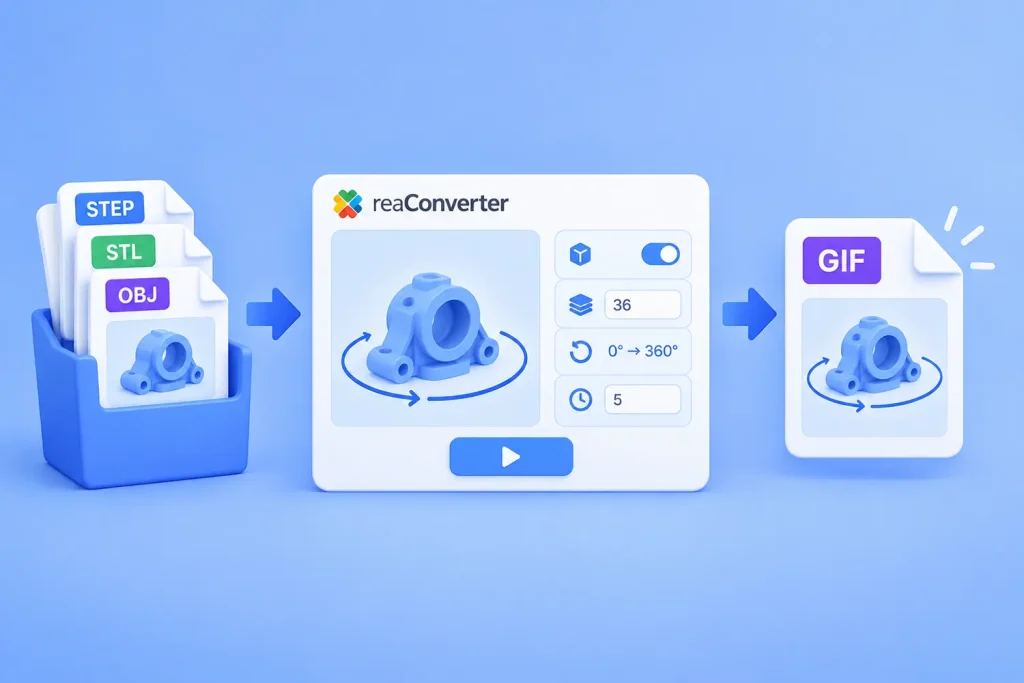
Short answer: reaConverter renders a 3D model at a series of angles and saves the frames as one animated file. Open Menu → Loading settings → 3D formats, tick Create multiple frames, set 36 frames and Change Z from 0 to 360. Fix the viewing angle with Change X 75 to 75 and Change Y 5 to 5. Then save as GIF with an Animation delay time of 5. It works on one model or a whole folder, offline.

Read more

How to Convert 3D STL Files to 3D DXF

STL is an image format mainly used in a type 3D printing technology called stereolithography, involving the production of three-dimensional models, patterns and prototypes with polymers. The STL format was initially launched in the 1980s by 3D Systems, the first company to introduce and develop stereolithography, and it is nowadays supported by several computer-aided design (CAD) programs.

STL files store black-and-white 3D objects, including only geometry data and no color, texture or other attributes usually featured by images created with CAD software.

In comparison, AutoCAD’s native interchange format DXF tends to have more popularity and offer more complex object descriptions than STL. DXF supports both 2D and 3D object rendering, and its features can vary according to the AutoCAD release to which the format is associated.

Read more

Converting 3D STL Models to DWG

There is a variety of 3D graphics formats available out there and they can be created using quite a few types of specialized programs. From Autodesk software to Blitz3D and QuickDraw to Blender, there is a long list of software using over one hundred types of 3D output formats.

However, not all enjoy a lot of popularity and some provide more advantages than others. For this reason, converting between 3D extensions might be a great way to improve the accessibility of your files while at the same time preserving their quality content intact. And it can be done in no more than a few clicks using reaConverter’s latest edition.

For example, conversion from STL to DWG formats can not only be done fast and easy, but also includes a series of handy customizable features. STL is a computer-aided design (CAD) 3D format used in model prototyping through stereolitography, 3D printing and computer-aided manufacturing. While supported by several software packs, STL enjoys less popularity than DWG, which is probably the most widely used format for CAD modeling. A native format for Autodesk software, DWG is supported by most CAD programs, including AutoCAD, Caddie, IntelliCAD and many others.

Read more

3D Rotate STL Files During Conversion

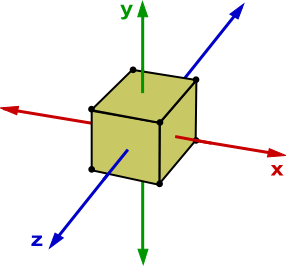
XYZ axes

STL is an extension attached to 3D images that use Stereolitography, a technology for creating prototypes or patterns through 3D printing. STL files contain a surface representation of such models and are created using computer-aided design software. There are only a few programs that can open STL files, so for improving accessibility the best option is to convert STLs to more popular extensions, including PDF, CAD document or other vector formats.

Read more